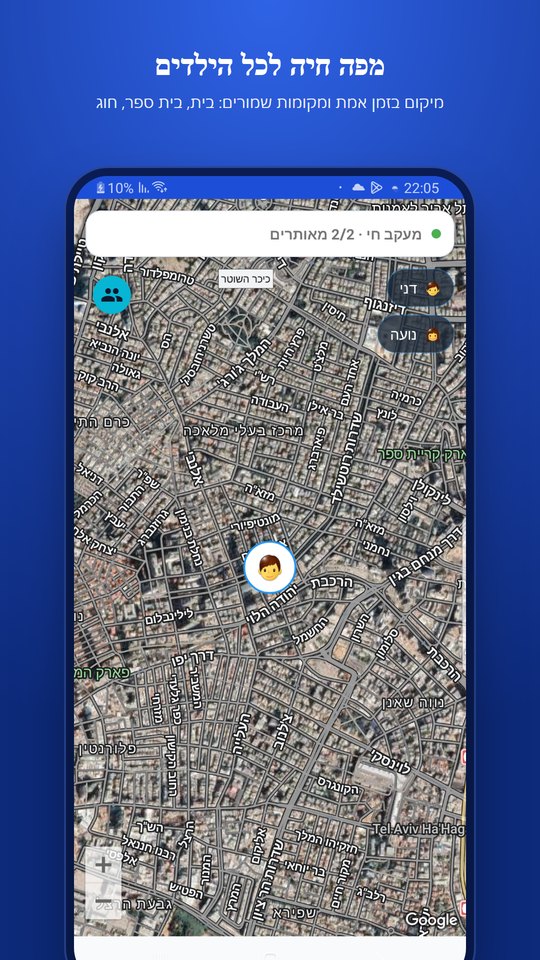
Location on a map
Plus a notice when your child gets home or to school.
Parental controls for Android: alerts about concerning messages, screen time management and child location.
WatchMe360 helps spot threats, bullying and signs of distress in your child’s chats, and sends you an alert with the flagged content. A starting point for a conversation when something needs attention.
Android only. Install on both phones: your child's and yours.
Sometimes children feel embarrassed, do not want to worry you or do not know where to start. An alert about concerning content can help you notice and open a conversation.
The system considers the conversation context. Errors and delays are possible, and not every risk will be detected.
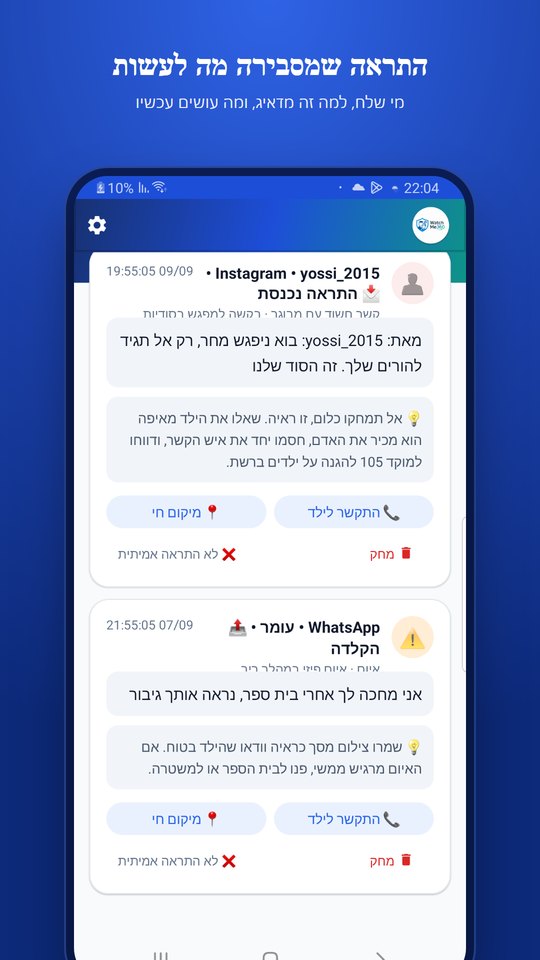
An illustration of what an alert can look like. Detection depends on the context.
On the parent’s phone · WatchMe360
The alert shows the flagged content and guidance for the parent. You can start a conversation with your child and understand what happened.
We are testing Hebrew transcription for WhatsApp voice messages. Once enabled by a parent, incoming and outgoing messages saved in the selected folder can be checked by the existing safety analysis.
Transcription runs on your child’s device. The feature does not upload the audio file.
The transcript is sent to the existing cloud safety analysis.
Off by default, with an explanation for the child and permission for the selected folder.
“I’m going to beat you up”
An illustration of what an alert can look like. Detection depends on the context.
Plus a notice when your child gets home or to school.
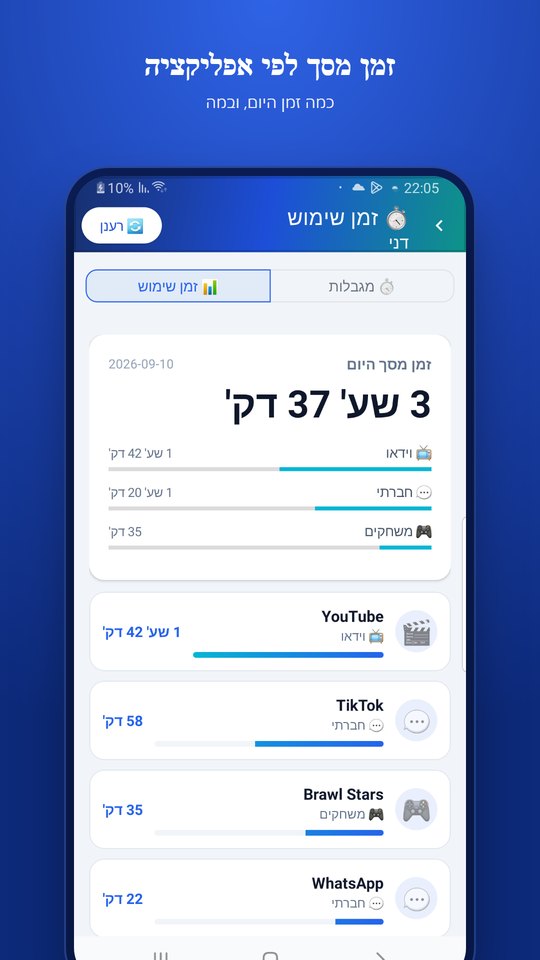
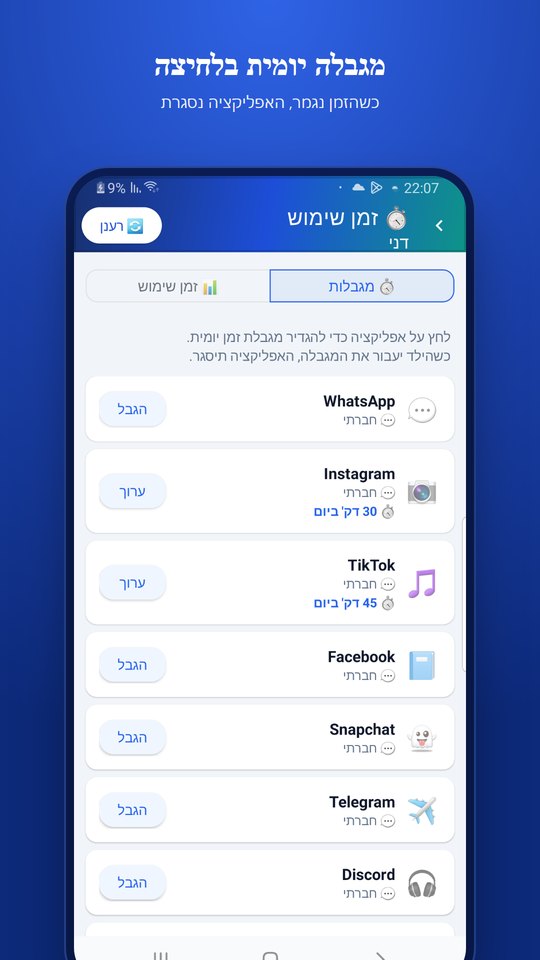
See time per app and set daily limits.
Their phone rings loudly, even on silent.
Both of you get alerts for the same child.
A calm overview once a week.
Mark it with one tap to help sharpen detection.
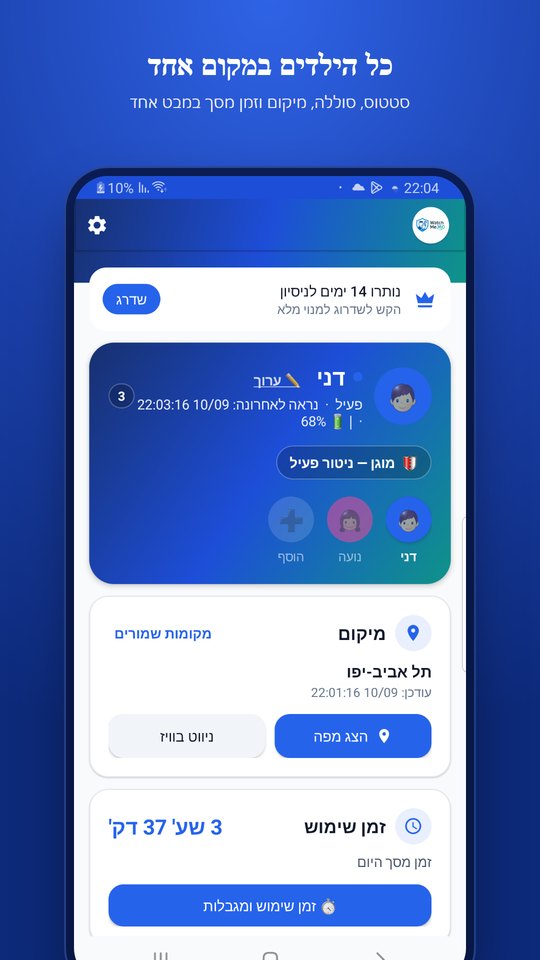
Screens from the existing app. Content in the screenshots is illustrative.
Two Android phones are required. Explain what the app does to your child before installing.
Download from Google Play, choose “I’m a child” and follow the permission setup. The app is visible to your child.
Download the same app, choose "I'm a parent" and sign in with Google.
Scan the code on your child’s phone and make sure the phones are linked and permissions are enabled.
The app is visible to your child. Parents see alerts about flagged content, and voice-message checks require a separate opt-in.
How information is processed and storedThe app doesn't hide or pretend to be something else.
You don't go through their chats. Only when something worrying is detected will you see that message.
Automatically after 7 days.
Real support, and we answer every email.
Developed in Israel by Hen-Tech. Contact us directly with questions about setup or using the app.
Contact usStart with 30 days free, no credit card. Billing through Google Play, cancel anytime.
The binding price and subscription terms are displayed in Google Play before purchase.
Compare the checks that matter: message alerts, screen time, location, Android compatibility and privacy. Understand WatchMe360 and its 30-day trial.
Read the guideHow to talk about hurtful WhatsApp messages, understand a parent alert and recognize the limits of automated monitoring. WatchMe360 guidance and support sources.
Read the guideWatchMe360 is a parental control app for Android. Install it on both the parent and child phones, choosing the appropriate role on each. This guide covers the setup sequence and checks to make before relying on alerts.
Read the guideAn alert is a reason to check the context and talk with your child. WatchMe360 flags potentially concerning content, but automated detection can make mistakes or miss issues. The flagged text alone does not establish what happened in the conversation.
Read the guideYes. The app is visible on their phone. Talk beforehand about what it checks and the alerts you will receive.
No. Only a message detected as worrying reaches you, together with its context. Nothing else does.
No. WatchMe360 is Android only, and it's installed on both phones: your child's and yours. Both need to be Android.
WhatsApp, Instagram, Telegram, Messenger, SMS, Roblox and more, depending on accessible content and Android permissions.
Yes. Installation and permissions must also be set up on your child’s phone. The setup guide explains each step.
Through Google Play, anytime. You pay nothing during the trial.
This feature is in internal testing and is coming soon. It is designed for saved incoming and outgoing Hebrew voice messages in WhatsApp. Transcription is local; text is sent for cloud analysis. Parents will choose whether to enable it.
No. Detection depends on accessible content, context, permissions and device and network activity. Errors and delays are possible. The app supports parents and does not replace communication with your child.
Start with 30 days free and discover the tools that fit your family.